
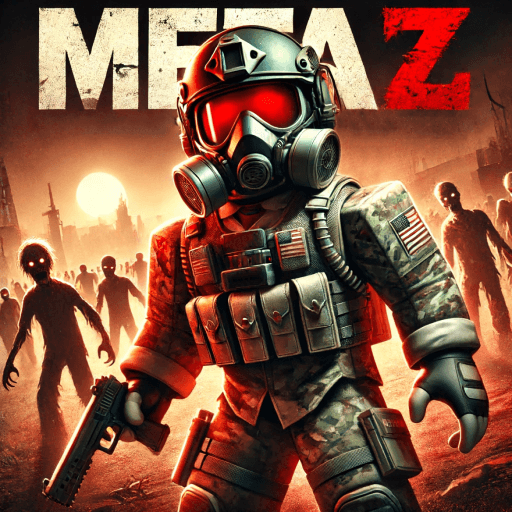
How to Play Meta Z: Zombie Tycoon
What is Meta Z: Zombie Tycoon?
🚨 Build. Survive. Dominate. 🚨 Meta Z fuses tycoon strategy with open-world MMORPG combat in a city overrun by the undead. Can you rise above the chaos? 🏰 Fortify & Expand – Claim your land, upgrade it into a fortress, automate cash flow, and unlock powerful defenses. 🧟 Evolving Zombies – Smarter, faster, and come with a bite. Clear streets, or risk becoming dinner. ⚔️ PvE, PvP, or Zombie – Squad up to crush world bosses, toggle PvP, and steal resources from rival survivors, or go zombie and eat humans. 🗺️ Dungeons & Secrets – Hospitals, police stations, hidden labs: each with unique loot, puzzles, and lore. 🎖️ Quests & Ranks – Complete storylines, earn badges, and flex exclusive gear in global leaderboards. 🎆 Seasonal Events – Limited-time fireworks, patriotic skins, and a July 4th “Red-White-Boom” horde rush. 🔥 Weekly Updates – New zones, tools, VIP rewards, and balance tweaks—every Friday. Play free • Supports PC, console & mobile • Voice chat ready
Created by MetaDevBlox
How to Start Playing Meta Z: Zombie Tycoon
Create a Roblox Account
Visit roblox.com or download the Roblox app on your phone, tablet, or computer. Create a free account if you don't already have one — it only takes a minute.
Search for "Meta Z: Zombie Tycoon"
Open Roblox and type "Meta Z: Zombie Tycoon" into the search bar at the top. It should appear as one of the top results since it has 3 active players.
Click the Play Button
Click on Meta Z: Zombie Tycoon in the search results, then hit the green "Play" button. The game will load in a few seconds.
Follow the Tutorial
When you first join, Meta Z: Zombie Tycoon may have an in-game tutorial or starter guide. Follow it to learn the basic mechanics of the game.
Explore and Have Fun!
Once you've learned the basics, start exploring! Discover all the features and enjoy the experience.
Game Controls
| Action | PC / Mac | Mobile |
|---|---|---|
| Move | W A S D / Arrow Keys | Virtual Joystick |
| Jump | Space Bar | Jump Button |
| Camera | Right Click + Drag | Swipe Screen |
| Zoom | Scroll Wheel | Pinch In/Out |
| Chat | / (Slash Key) | Chat Icon |
| Menu / Escape | Esc Key | ≡ Button |
| First Person | I Key or Zoom In | Zoom All Way In |
| Interact | E Key or Click | Tap |
Tips for Beginners
- 💡Reinvest your earnings into expanding your business as quickly as possible.
- 💡Unlock new areas and upgrades in the most cost-efficient order.
- 💡AFK (away from keyboard) collecting can help accumulate resources.
- 💡Prioritize income-generating upgrades over cosmetic ones early on.
- 💡Check for rebirth mechanics that boost your earning potential.
Ready to play Meta Z: Zombie Tycoon?
Join 3 other players right now
Frequently Asked Questions
6 questions about Meta Z: Zombie Tycoon
Meta Z: Zombie Tycoon is a Roblox game in the tycoon category. 🚨 Build. Survive. Dominate. 🚨 Meta Z fuses tycoon strategy with open-world MMORPG combat in a city overrun by the undead. Can you rise above the chaos? 🏰 Fortify & Expand – Claim your land, upgrade it into a fortress, automate cash flow, and unlock powerful defenses. 🧟 Evolving Zombies – Smarte...
To play Meta Z: Zombie Tycoon, visit the Roblox website or open the Roblox app, search for "Meta Z: Zombie Tycoon", and click the Play button. You need a free Roblox account to play.
Yes, Meta Z: Zombie Tycoon is free to play on Roblox. Some games may offer optional in-game purchases using Robux, but the core experience is always free.
Meta Z: Zombie Tycoon has received over 1.5 million visits on Roblox, with 3 players currently online. It has 5 thousand likes and a rating of 3.7 out of 5.
Meta Z: Zombie Tycoon was created by MetaDevBlox on the Roblox platform.
Meta Z: Zombie Tycoon falls under the tycoon genre on Roblox. You can explore more tycoon games on our website.